






Choosing a POS System in 2026: A Complete Guide for Retail, Hospitality, and Business Services
A POS system (Point of Sale) today is much more than just a cash register. It is the digital heart of your business: it processes payments, manages your stock, records customer data, and delivers real-time insights into your revenue. Whether you run a retail store, manage a restaurant, or work in business services — the choice of the right POS system largely determines how efficiently and future-proof your company operates.
In this guide, we explain what a modern POS system is, which types are available, what to look for when buying one, and which trends will make the difference in 2026.
What is a POS system?
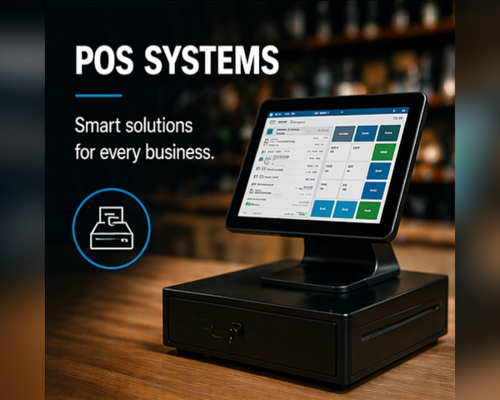
A POS system is a combination of hardware and software that processes sales transactions and supports your business operations. The hardware typically consists of a touchscreen terminal or all-in-one POS computer, a receipt printer, a cash drawer, a payment terminal, and often a barcode scanner. The software connects these components and integrates with your inventory, accounting, and CRM systems.
Modern POS systems are cloud-based, scalable, and work across multiple locations simultaneously — crucial for businesses looking to grow or manage multiple branches.
What types of POS systems are there?
The right choice depends on your industry, the type of transactions, and your growth ambitions. These are the most common variants.
All-in-one POS systems
A compact system in which the touchscreen, computer, and often the printer are integrated into a single device. Ideal for retail and hospitality due to the limited counter space and sleek appearance.
Mobile POS systems
Operate on a tablet or handheld terminal. Perfect for hospitality staff taking orders at the table, field services invoicing on location, or pop-up stores and markets.
Modular POS setups
You select separate components (PC, monitor, scanner, printer, cash drawer) and combine them yourself. Offers maximum flexibility and is suitable for businesses with specific requirements or existing hardware.
Self-service kiosks
Standalone terminals where customers place and pay for their own orders. Popular in fast food, cinemas, and retail. Increases the average order value and reduces staff pressure during peak hours.
What to look for when choosing a POS system
A POS system is an investment for several years. These are the six most important criteria to consider.
1. Fit with your industry
A hospitality POS has different requirements (table management, kitchen tickets, split bills) than a retail POS (inventory integrations, loyalty programmes, multiple registers). Choose a system that was originally developed for your type of business.
2. Integrations with other systems
Check whether the POS system seamlessly connects with your accounting software, webshop platform (Shopify, WooCommerce, Magento), payment providers, and inventory management. Missing integrations mean manual work and error-prone processes.
3. Scalability and cloud
A cloud-based POS system works everywhere, synchronises between locations, and scales with your growth. Locally installed systems are cheaper to purchase but limit you when expanding and make updates more difficult.
4. Hardware reliability
Choose A-brand hardware that can handle intensive daily use. Cheap alternatives fail more often, and every minute of register downtime directly costs revenue. Pay attention to specifications such as IP rating (dust and splash resistance in hospitality), touchscreen lifespan, and the availability of spare parts.
5. Support and service
Fast support is essential. Ask about response times, local-language helpdesk, installation support, and whether spare parts are in stock. A supplier that delivers today what you need saves you downtime.
6. Total cost of ownership (TCO)
Look beyond the purchase price. Add software licences, transaction fees, maintenance, expansion modules, and possible replacements. A slightly more expensive system with lower monthly costs is often more economical over three to five years.
POS trends in 2026: what to keep in mind
The POS market is changing rapidly. These developments will determine which systems remain future-proof in 2026.
Mobile and cloud-based becomes the standard
Fixed registers are increasingly being replaced by tablets and handhelds that make staff mobile. Customers are served faster and queues disappear.
Integrated payments
The separation between register and payment terminal is disappearing. New terminals combine both functions in a single device, making payments faster and error-free.
Omnichannel as standard
Customers expect to be able to order online and pick up in store, or return products bought online. A POS system that synchronises in real time with your webshop is no longer a luxury but a necessity.
AI-driven insights
Modern POS software analyses sales data to forecast inventory, predict peak hours, and optimise staffing. These insights used to be available only to large retail chains but are now accessible to SMEs as well.
RFID and self-scan
The combination of RFID labels and self-scan registers makes checkout lightning fast. Customers place their basket on a scanner, all products are recognised in one second, and payment follows automatically. This segment is growing rapidly in Europe.
Frequently asked questions about POS systems
What does a POS system cost?
Costs vary widely. A simple tablet POS starts around €500, while a complete all-in-one retail POS including installation typically ranges from €1,500 to €3,500 per register. Cloud software usually charges a monthly subscription of €30 to €100 per location.
Can I continue using my existing hardware?
In many cases, yes. Receipt printers, scanners, and cash drawers are often brand-independent and work via standard protocols. A good supplier can check this for you before you switch.
How long does a POS implementation take?
For a single location, usually one to three days, including installation, configuration, and training. For multiple locations or complex integrations, this can extend to several weeks.
Is a cloud POS secure?
Yes, provided you choose a reputable provider. Cloud systems are generally more secure than local installations because updates, backups, and security patches are applied automatically. Check whether your supplier complies with GDPR and uses encrypted connections.
How RISolutions helps you make the right choice
At RISolutions, we supply A-brand POS hardware, mobile terminals, receipt printers, and complete checkout setups for retail, hospitality, healthcare, industry, and government. What sets us apart:
- Personal advice — no call centre, but direct contact with a specialist who knows your industry
- Fast delivery — in stock means shipped today, across Europe
- Customisation and installation service — from individual components to complete on-site implementation
- Independent advice — we supply multiple brands and help you choose what truly fits
A POS system is not an end in itself, but a means to work more efficiently, reduce errors, and serve your customers better. Making the right choice requires sound advice and reliable hardware — exactly what we specialise in.
Ready to upgrade your POS system?
Want to know which POS system suits your business? Contact our specialists without obligation. We think along with you, deliver quickly, and ensure that your business processes never come to a standstill.
